
What Is a Trust Centre? A Practical Guide for B2B Teams
A trust centre is a single web page or portal where a company publishes its security, privacy and compliance information for customers and prospects. It usually holds certifications, policy summaries, the list of subprocessors, hosting locations and a way to request detailed documents. Buyers use it to judge a supplier without waiting for a reply to every question. Suppliers use it to answer the same questions once instead of dozens of times.
This guide explains what a trust centre contains, what to publish and what to keep behind a request, how it relates to EU rules such as GDPR and NIS2, and how to build one that stays accurate.
What a trust centre is
Think of it as the shop window and the filing cabinet of your security programme. The window is the public part: a short, readable summary of how you protect data. The filing cabinet is the gated part: reports and evidence that a customer’s security team can request when they need depth.
A company-run explainer describes the typical contents as security practices and controls, data protection and privacy, certifications, applicable compliance information, data storage, hosting and processing, policies, FAQs and supporting documents, and notes that the exact contents vary between organisations. That variation is normal. A payroll SaaS and a developer tool will emphasise different things.
The term is also spelled “trust center”, and some vendors give it a product name. Whatever the label, the job is the same: make assurance information easy to find, easy to check and easy to keep current.
Who uses it
Three groups read a trust centre, and each wants something different.
- Security and IT reviewers want certificates, control descriptions and answers they can compare with their own supplier requirements.
- Privacy and legal teams want the subprocessor list, the data processing terms and the hosting location.
- Procurement and sales teams want to move a deal forward without a long email chain.
What a trust centre typically contains
The table below shows a common layout. Use it as a starting list and adapt it to the questions your customers actually ask.
| Section | What it holds | Usually public or gated |
|---|---|---|
| Certifications and standards | ISO 27001 certificate, scope statement, other attestations | Public |
| Security practices | Plain-language summary of access control, encryption, backups, monitoring | Public |
| Privacy and data protection | Privacy notice, data processing agreement, data subject request route | Public |
| Subprocessors | Names, purpose, location of each subprocessor, change notification signup | Public |
| Hosting and data residency | Where data is stored and processed | Public |
| Policies | Summaries of information security, incident and continuity policies | Public summary, full text on request |
| Audit reports and test summaries | Full reports, penetration test summaries | Gated |
| Completed questionnaires | Standard answers customers can reuse | Gated |
| Security contact | Address for vulnerability reports and security questions | Public |
| Live status | Operational and incident updates | Public |
Statements a reviewer can check
A trust centre earns its keep through specificity. One practitioner guide advises writing for a security reviewer rather than a marketer: name the standard, the version, the scope and the date, and avoid vague phrases such as military-grade security or fully compliant, which reviewers read as a sign that detail is missing.
Compare two ways of writing the same fact:
- Vague: “We follow the highest security standards.”
- Checkable: “Our information security management system is certified to ISO 27001. The scope covers the production platform and supporting processes.”
The second version tells the reviewer what to verify and where.
What to publish, what to gate and what to keep off
The most common design question is where to draw the line. A workable rule has three tiers.
Public
Put anything that helps a buyer decide whether to start a conversation and carries little risk: certifications, high-level security practices, the subprocessor list, data residency, privacy documents and a security contact. Public pages also help search visibility and reduce repeated emails.
Gated behind a request or NDA
Detailed evidence belongs behind a request path. Industry guidance commonly places full audit reports, penetration test detail, architecture diagrams and completed questionnaires in this tier. A good request flow records who asked, shows them an NDA to accept and releases the file without a manual back and forth.
Never shared
Some material helps an attacker more than a buyer. Typical examples include unresolved vulnerability detail, network diagrams and internal hostnames, secrets, customer content and any claim you cannot back with evidence. Customer names or incident details should appear only where the customers involved have agreed.
A restricted portal does not make sensitive material safe to share. If a document would be unwise on a public page, it is usually unwise in a gated one too.
How a trust centre helps customers assess you
A trust centre centralises evidence and explanations, so customers can look at controls, data handling, privacy, certifications, hosting and regulatory alignment without starting a separate request for each item. They can spot gaps and decide which follow-up questions are worth asking.
It supports the customer’s own assessment and does not replace it. Security teams still verify claims, read reports and ask about their specific use case. What a good trust centre does is shorten the first stage, so the questions that remain are the interesting ones. This view is shared by the explainer cited above, which describes it as a starting point for reviewers.
A UK software group has published its own experience: in its customer satisfaction data, 62% rated their trust centre experience Good or Very Good, and 66% said it answered most or all of their questions. Treat figures like these as one company’s result, and use them as a prompt to collect your own feedback.
Trust centres and EU regulation
No EU regulation requires you to run a trust centre. The legal texts set outcomes, and a trust centre is a practical way to show them.
GDPR and subprocessors
Under Article 28 of the GDPR, a processor may not engage another processor without the controller’s prior specific or general written authorisation. Where authorisation is general, the processor must inform the controller of intended additions or replacements so the controller can object. A public subprocessor list with a change notification signup is a scalable way to meet that expectation across many customers. Our own subprocessors page and Data Processing Agreement follow that pattern.
The same logic applies to any online service that handles personal data. A guide on data privacy in online bookings shows how a club-facing service explains the way it handles member data, which is the same habit a SaaS supplier builds into a trust centre.
NIS2 and supply chain security
NIS2 Article 21 requires essential and important entities to take appropriate and proportionate measures to manage risk, and the list of measures includes supply chain security, covering the relationship with direct suppliers and service providers. An entity in scope of NIS2 therefore needs evidence about its suppliers. A supplier whose trust centre already holds certifications, security practices and subprocessor information makes that review faster.
ISO 27001 and other frameworks
A trust centre does not replace certification. It displays the result. The certificate, its scope and the policies behind it are what a buyer is looking for, and the same evidence supports GDPR, NIS2, DORA and customer questionnaires. If you are working towards a framework such as SOC 2, the trust centre becomes the place where a finished report is offered to customers who ask for it.
How to build and maintain a trust centre
The steps below follow a process described in a step-by-step practitioner guide, adapted for an EU supplier.
- Collect real questions. Read your last twenty security questionnaires and note which questions come up repeatedly. These become your sections.
- Inventory your evidence. List each document and mark it public, gated or not shareable.
- Decide the platform. A simple page can work for low volume. A hosted platform fits better when requests are frequent and staff time is short.
- Write checkable statements. Name the standard, version, scope and date.
- Add live status and an FAQ. Control status and short answers cut repeat questions.
- Build the request path. Gated documents need a form, an NDA step and an access log.
- Publish at a predictable address. Customers should find it without searching, for example on a trust subdomain or a clearly labelled footer link.
- Track usage and review regularly. Review at least quarterly and after an audit, certificate renewal, subprocessor change or significant incident.
Keeping it accurate
An out-of-date trust centre does more damage than none, because a reviewer who spots a lapsed certificate starts doubting everything else. Give each item an owner and a review date. Link the page to the source of truth, so a new certificate or policy update flows through without retyping. Remove claims the moment they stop being true.
Protecting confidential information
Decide what to exclude before you decide what to gate. Keep secrets, customer content, unrelated personal data, configuration evidence and unresolved findings internal by default. Share summaries when a customer needs reassurance, and full evidence only when there is a documented reason.
How to tell whether it works
Set a baseline before you launch, or you will only have anecdotes later. Useful measures from a published framework for trust programmes include:
- Security review cycle length: calendar days between the first questionnaire or review request and the buyer’s written security approval.
- Deal loss rate to security: the share of lost deals where security or compliance was a primary or contributing reason.
- Days to close by deal type: how long deals take, split by size or segment.
Add simple usage data: page visits, document requests and the questions that still arrive by email. If the same question keeps coming back, it belongs on the page.
The Guardiso Trust Center
Guardiso is a platform for managing information security and regulatory compliance. Within one system, a company runs ISO 27001, GDPR, NIS2, DORA, SOC 2 and about 30 other standards. One set of documents and evidence serves many regulations, so the team does not repeat the same work. A public Trust Center is among the platform features, which means the evidence you already keep for audits can also support what customers see.
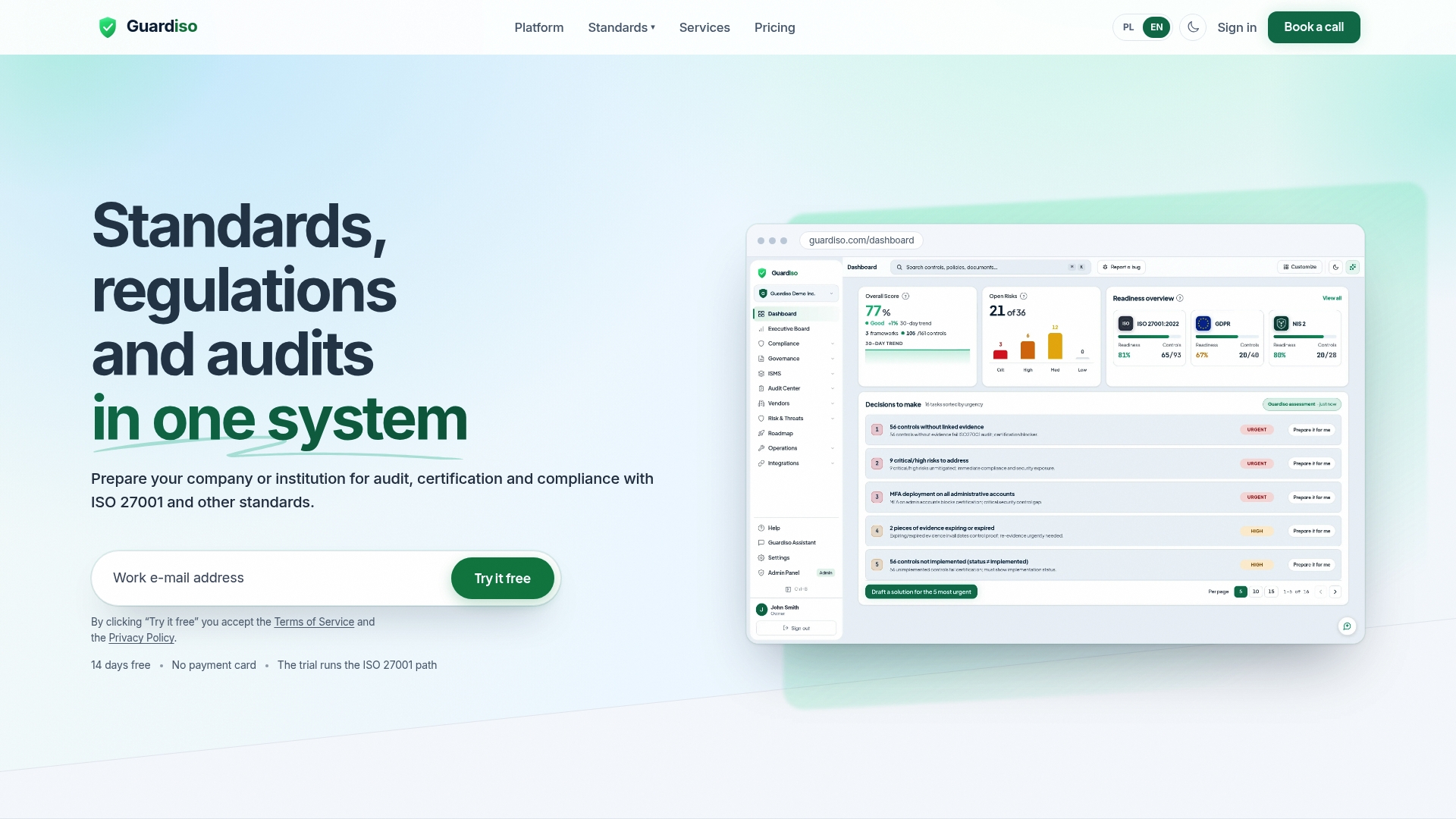
The platform shows compliance status, risks and open tasks, collects evidence through integrations such as Microsoft 365, GitHub and AWS, and prepares an evidence pack for the auditor before an audit. Data is stored only in the European Union. Guardiso is an ISO 27001 certified company. You can read how we handle your data on our security page and see how integrations and evidence collection work.
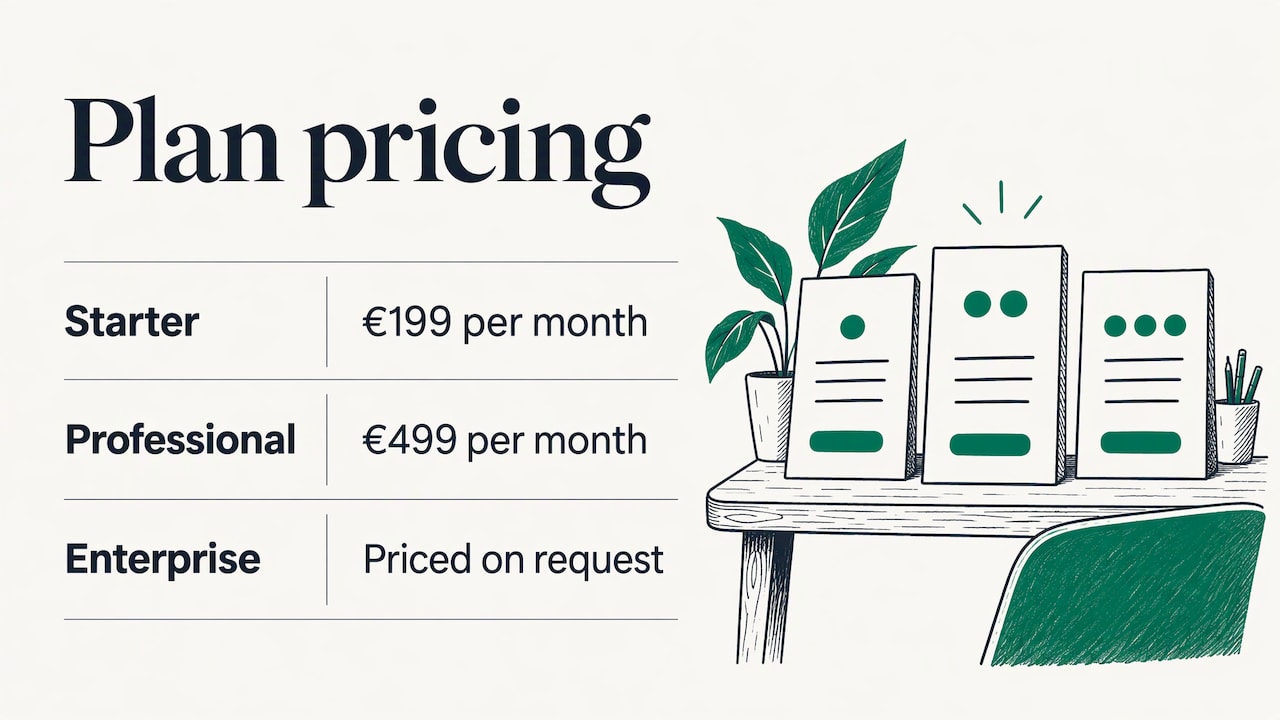
Plans start at €199 per month for Starter and €499 per month for Professional, while Enterprise is priced on request. See the pricing page for what each plan includes. If you want an expert to shape your security programme first, our vCISO service provides a part-time security officer, and our penetration tests and audits produce the kind of evidence customers ask to see.
FAQ
What is a trust centre in cybersecurity and compliance?
It is a customer-facing portal that collects a company’s security, privacy and compliance information. It typically includes certifications, policy summaries, subprocessors, hosting details and a request route for detailed reports. Its purpose is to let buyers review assurance material at their own pace.
Is a trust centre the same as a security page?
A security page is usually a single page describing practices. A trust centre goes further by organising evidence in sections, offering gated documents with an NDA step and often showing live status. Many companies start with a security page and grow it into a trust centre as customer requests increase.
Is a trust centre mandatory in the EU?
No EU regulation names it as a requirement. GDPR Article 28 and NIS2 Article 21 set expectations about subprocessors and supply chain security, and a trust centre is one practical way to provide the supporting information.
What should never go on a trust centre?
Keep secrets, customer content, unresolved vulnerability details, network diagrams, internal hostnames and claims without evidence off it entirely. Share customer names or incident details only with the agreement of the customers involved.
How often should a trust centre be updated?
Review it at least quarterly. Update it right after an audit, a certificate renewal, a subprocessor change or a significant incident, so the page always matches reality.
Sources
- What is a Trust Center? A guide to security, privacy and compliance
- What Is a Trust Center and How to Build One Step-by-Step
- OneAdvanced Trust Centre: One Year of Building Customer Transparency
- Quantifying the ROI of a Trust Program
- Regulation (EU) 2016/679 (GDPR), EUR-Lex
- Directive (EU) 2022/2555 (NIS2), EUR-Lex
- Data privacy in golf tee-time booking: a UK club guide