
Compliance Automation: What It Is and How to Choose a Platform
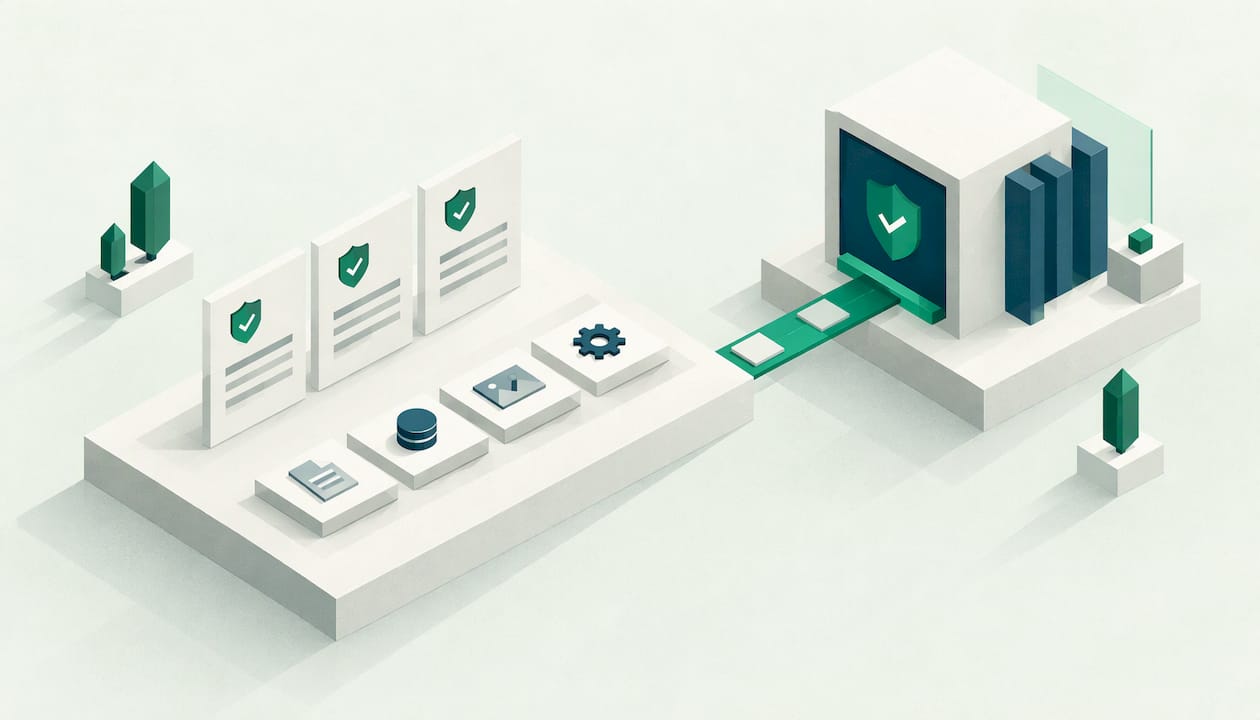
Compliance automation is the use of software to carry out the repetitive parts of compliance work: mapping requirements to controls, collecting evidence, tracking tasks and reporting status. TechTarget defines it as using technology to perform and simplify procedures such as self-assessment, corrective-action planning, control analysis and testing. For a company with 10 to 250 employees that must prove compliance to customers, regulators or an auditor, a good platform replaces scattered spreadsheets with one place where requirements, owners and evidence live together.
This guide explains how the approach works, how one set of evidence can serve several frameworks, where your people still make the decisions, and what to check before you buy.
What compliance automation means in practice
Most companies start compliance with documents and spreadsheets. A policy lives in a shared folder, evidence is a screenshot in an email, and the person who knows which control covers which clause is the one who set it all up. It works until a second framework arrives, a customer sends a security questionnaire, or the auditor asks for proof that a control operated over the whole year.
Compliance automation moves that work into a system. The system holds the requirements, links each one to a control, assigns an owner, and gathers proof from the tools your company already uses. It reminds people when a task is due and shows the current status without anyone building a report by hand.
Compliance software and compliance automation
The two terms overlap, and readers often search for both. Compliance software is the wider category: any tool that helps you record and manage compliance, including registers of risks, policies and audits. Compliance automation describes what the best of those tools do for you: they perform checks, collect evidence and trigger workflows without manual effort each time.
A useful way to think about it is in layers. Dictiva observes that robust programmes use automation for the verification layer, while compliance management covers strategy and decision making. In practice you want both in one place: a management layer where you set scope, owners and policy, and an automation layer that keeps the proof up to date.
Why the topic matters more for EU companies now
Two pieces of EU law raise the need for documented, repeatable evidence. Under the NIS2 Directive (2022/2555), entities must adopt cybersecurity risk management measures that cover technical, operational and organisational aspects, and the directive points to international standards such as the ISO/IEC 27000 series as a reference. Those measures include multi-factor authentication, supply chain security and incident reporting procedures, and each of them needs documented evidence that it works. You can read more about scope on our page about NIS2 and who it covers.
For financial entities, Regulation (EU) 2022/2554 (DORA) sets requirements for digital operational resilience, including ICT risk management. Under the GDPR, the accountability principle in Article 5(2) means the controller must be able to demonstrate compliance. In each case the practical question is the same: can you show, at any moment, what you do and the proof that you do it?
How compliance automation software works
Platforms differ in detail, but the workflow follows the same arc. Here is the sequence a typical implementation follows.
- Set the scope. You decide which parts of the company, which systems and which data fall under each framework. This is a management decision, and the platform records it.
- Map requirements to controls. Each clause of a standard or article of a regulation is linked to a control that your company operates. A mapping library saves the team from reading each text line by line.
- Assign owners and tasks. Every control has a responsible person, a review frequency and a due date. The system sends reminders instead of relying on someone’s memory.
- Use templates for policies and procedures. Ready policy templates give you a starting point that you adapt to how your company really works.
- Collect evidence. Integrations pull proof from the systems where it already exists, such as identity management, source code hosting and cloud accounts. Manual uploads cover the rest.
- Monitor status. A dashboard shows which controls are in place, which are overdue and which risks remain open.
- Prepare for the audit. The system assembles the evidence for each control so the auditor receives a complete, organised pack.
Why continuous monitoring matters
Many audit frameworks rely on point in time assessments. ENISA cautions that the rapid evolution of cloud based digital services makes continuous monitoring and incident based investigation increasingly critical for maintaining security. Automation supports exactly this: a control that is checked every day gives you a far better picture than one examined once a year.
The same logic appears in the standards. ISO/IEC 27001 requires an organisation to determine what needs to be monitored and measured and retain documented information as evidence of the results. A platform that stores results with dates and owners gives you that record as a by-product of normal work.
TechTarget adds that automation reduces repetitive manual work, human error and alert fatigue, and can move an organisation toward continuous compliance. Those gains are the reason the approach appeals to small teams that cannot dedicate several people full time to compliance.
One set of evidence for several frameworks
The strongest argument for a single platform is reuse. Frameworks ask similar questions in different words. Access control, backup, supplier management, incident handling and staff awareness appear in ISO 27001, NIS2 and DORA alike. If your company documents the control once and links it to every clause that asks for it, you answer many requirements with one piece of work.
The table shows the idea with examples of control areas. It illustrates how reuse works, and the exact clauses you map depend on your scope and on the text of each framework.
| Control area | Typical evidence | Frameworks that may ask for it |
|---|---|---|
| Access management and multi-factor authentication | User lists, authentication settings, review records | ISO 27001, NIS2, DORA, GDPR |
| Supplier and supply chain security | Supplier register, assessments, contracts | ISO 27001, NIS2, DORA, GDPR |
| Incident handling and reporting | Incident procedure, incident log, test records | ISO 27001, NIS2, DORA, GDPR |
| Risk management | Risk register, treatment decisions, review dates | ISO 27001, NIS2, DORA |
| Records of processing and data protection measures | Processing register, security measures, policies | GDPR, ISO 27001 |
The benefit shows up when a new framework arrives. Instead of starting again, you map the new requirements to controls you already operate and add only what is missing. If you are preparing for certification, our ISO 27001 overview explains what the standard expects, and the free ISO 27001 readiness test shows where you stand before you commit to a plan. The full list of supported frameworks is on our standards page.
Mapping and the integrated management system
When the same policies and records serve several standards, you are in effect running a single, zintegrowany system zarządzania in the Polish phrasing, or in English an integrated management system. The practical result is one document set, one review cycle and one set of owners instead of a separate programme for each framework. That shape suits small and mid-sized companies, where the same few people carry every compliance duty.
Where your people still decide
Automation handles collection, reminders and reporting. Your team handles judgement. That division is what makes the whole approach reliable, and it is where an auditor will look.
These tasks stay with people, supported by the platform:
- Scope and context. Deciding which business units, systems and data are covered.
- Risk assessment and treatment. Judging likelihood and impact, and deciding whether to reduce, transfer or accept a risk.
- Policy approval. Management reads, adapts and signs off the rules the company follows.
- Incident response. People decide what to do and whom to notify. The system keeps the record and the deadlines visible.
- Review of effectiveness. ENISA advises that governing bodies assess not only the controls in place but the overall effectiveness of the audit framework, including the quality of independent test results and incident reports. A board dashboard puts that picture in front of management regularly.
Technical testing is another area where independent expertise adds confidence. Controls on paper can be checked against reality through vulnerability assessment and application testing, and the results become further evidence in the same register.
How compliance audit software supports audits and customers
Auditors ask for the same things in every engagement: the scope, the policies, the risk register, and proof that controls operated. A platform helps in three ways.
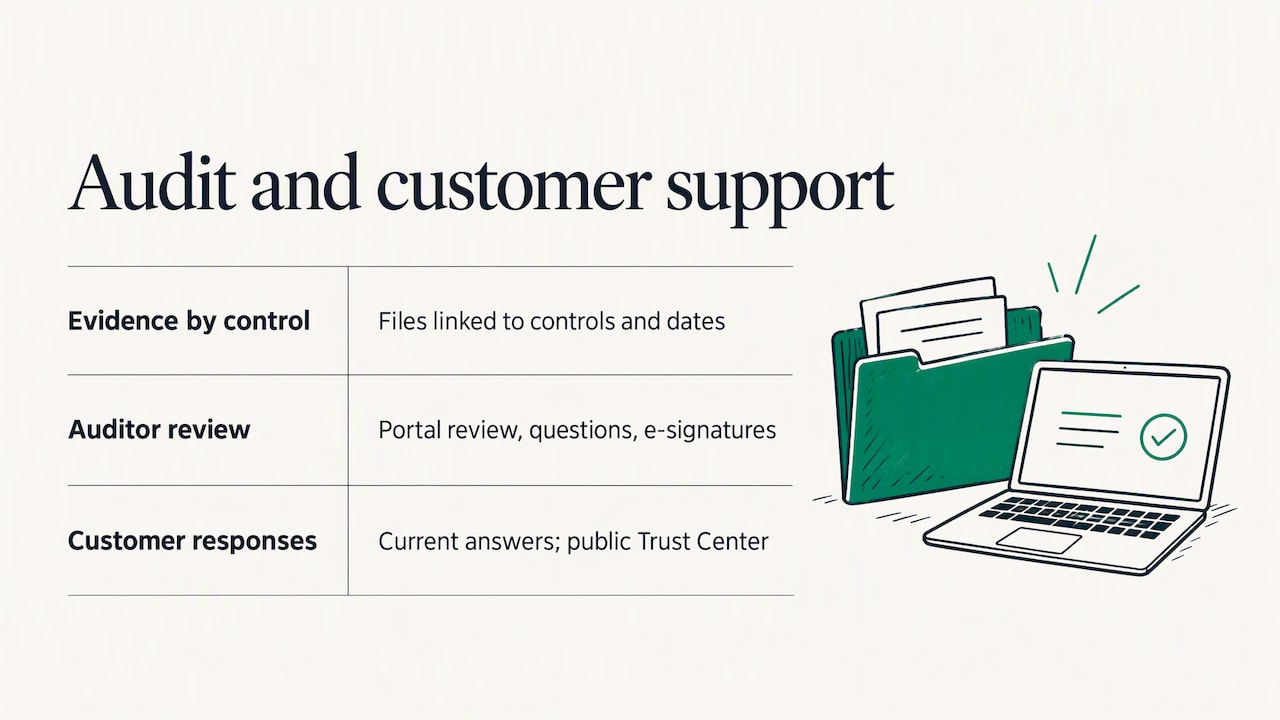
It keeps evidence organised by control. When each file is linked to a control and dated, nobody has to search email threads in the week before the audit.
It gives the auditor a structured view. An auditor portal lets the auditor review the evidence pack, ask questions and sign off with electronic signatures, so the exchange happens in one place.
It answers customers. Enterprise customers and public bodies send security questionnaires, often with many of the same questions. When your answers draw on current evidence, you can reply faster and more consistently. A public Trust Center lets you share your compliance status with partners without sending documents one by one.
If you are heading toward certification, an ISO 27001 certification project becomes much more manageable when evidence is collected as you implement rather than rebuilt at the end.
How to choose compliance automation software
Use these criteria when you compare platforms. Ask each vendor to show the answer in the product rather than describe it.
- Frameworks covered. Check that the platform covers the standards you need today and those you expect to add, such as ISO 27001, NIS2, DORA, GDPR, SOC 2 and ISO 22301. A library of around 30 further standards matters if customers keep asking for new attestations.
- Reuse across frameworks. Ask how one control maps to several requirements and what happens to the mapping when a standard is updated.
- Integrations. Confirm that the tools you use, for example Microsoft 365, GitHub and AWS, are supported for automatic evidence collection.
- Templates and language. Ready policies save weeks. Check that they exist in the languages your staff and auditors work in. Our templates are available in English and Polish.
- Data location. For companies and public bodies in the EU, storage inside the EU is often a procurement requirement. Guardiso stores data only in the European Union, and you can read how we protect it on our security page.
- Auditor experience. Look for an auditor portal, an exportable evidence pack and a record of who approved what and when.
- Reporting for management. A dashboard of status, risks and open tasks helps the board see where attention is needed.
- Supporting services. Some projects need an outside expert for a pentest, an audit or an interim security officer. Having those under one roof shortens the path from gap to fix.
- Pricing clarity. Published plans with a monthly price let you plan a budget before you speak to sales.
A short checklist before the demo
- List the frameworks and customer requirements you must meet in the next twelve months.
- Name the systems that hold your evidence, such as your identity provider, code repository and cloud accounts.
- Decide who will own each control, because the platform assigns tasks but cannot choose people for you.
- Agree what the auditor needs to see and when.
Compliance automation for consultants with several clients
Consultants who manage compliance for several organisations face the same repeated tasks across every client: gap analysis, policy drafting, evidence chasing and audit preparation. A platform helps when it lets you reuse your own templates and approach while keeping each client’s data separate.
When you evaluate a platform as a consultant, look at these points:
- Separation of client data. Each client needs its own workspace, users and evidence.
- Reusable structure. Your standard control set and policy templates should be easy to apply to a new client.
- Client visibility. Clients should see their own status and open tasks, so you spend less time writing status emails.
- Auditor access. Granting an auditor access to one client’s evidence should not expose anything else.
- Framework breadth. A client who starts with ISO 27001 may add NIS2 or DORA later, so coverage across standards protects your work.
The platform handles the repetitive part, and your advice remains the value you bring to each engagement.
How Guardiso supports compliance automation
Guardiso is a platform for managing information security and regulatory compliance. In one system your company runs ISO 27001, GDPR, NIS2, DORA and its own standards. One set of documents and evidence serves many regulations, so the team does not repeat the same work. The platform shows compliance status, risks and open tasks, and before an audit it prepares a complete evidence pack for the auditor. Guardiso is an ISO 27001 certified company.
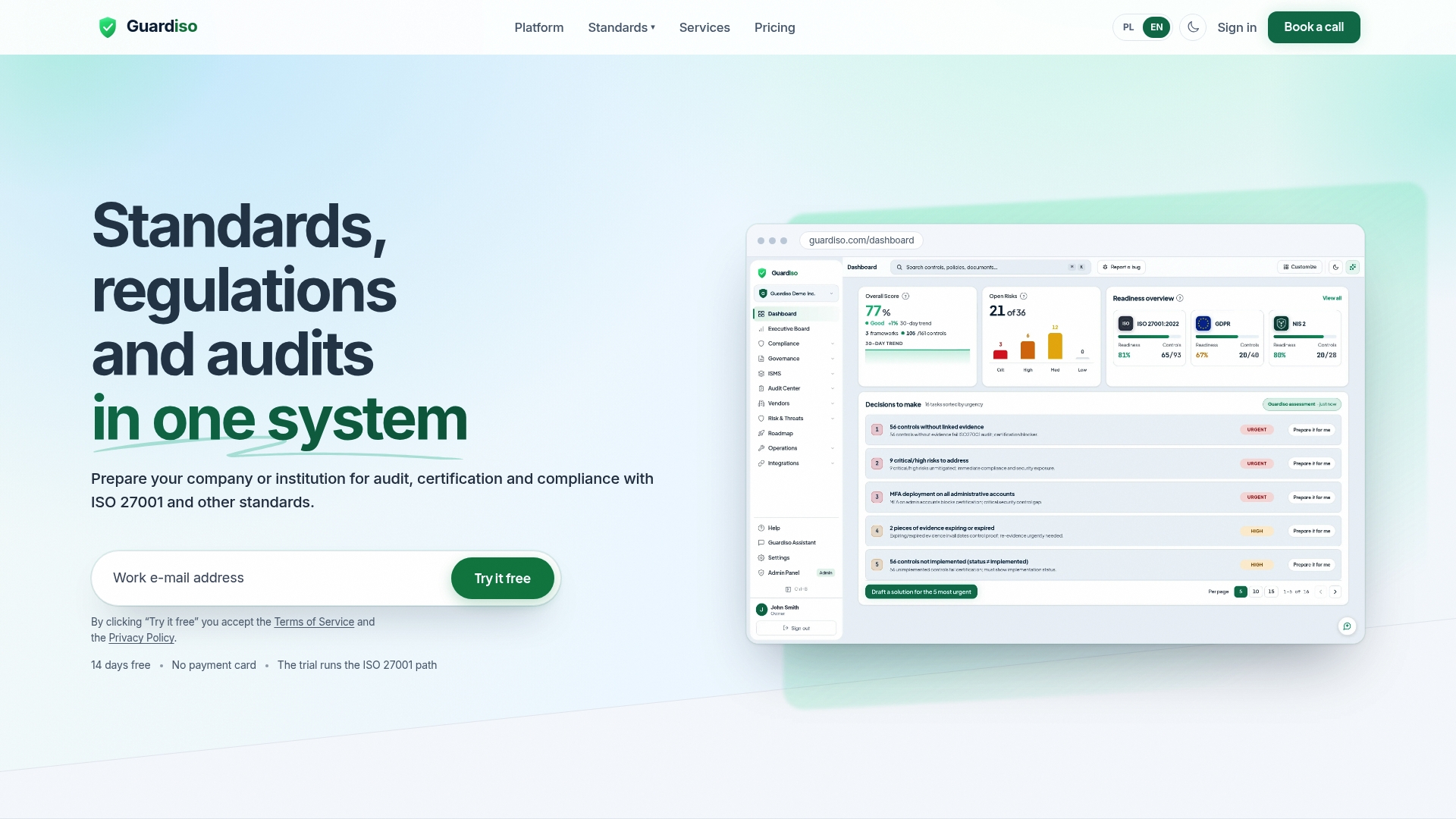
The compliance platform collects evidence from Microsoft 365, GitHub, AWS and other tools, and includes standards mapping, policy templates, risk and evidence registers, audit planning, an auditor portal with electronic signatures, compliance questionnaires, a board dashboard and a public Trust Center. Plans start with Starter at 849 ZŁ per month and Professional at 2149 ZŁ per month, and Enterprise is available on request. See the details on the pricing page. If you also need hands-on expertise, we offer pentests, vulnerability scans, security audits and a virtual security officer, described on our services page. You can also start with the platform overview to see how the pieces fit together.
FAQ
What is compliance automation?
Compliance automation is the use of software to perform and simplify compliance procedures such as self-assessment, corrective-action planning, control analysis and testing, as TechTarget describes. In practice it means requirements, controls, evidence and tasks live in one system that collects proof and reports status. People still decide scope, risk and policy.
Is compliance automation software the same as compliance management software?
The categories overlap. Compliance management covers the strategy, ownership and decisions, while automation covers verification and evidence collection. Most modern platforms combine both, so you set scope and responsibilities and the system keeps the proof current.
Can one platform cover ISO 27001, NIS2, DORA and GDPR?
Yes, when it maps one control to several requirements. Topics such as access management, supplier security and incident handling appear across these frameworks, so one documented control and one set of evidence can support several of them. Check the mapping for your own scope with each vendor.
How does the software help with an audit?
It links every piece of evidence to a control, dates it and assigns an owner. Before the audit the system assembles the evidence pack, and an auditor portal lets the auditor review it and sign electronically. That shortens preparation and keeps the exchange in one place.
Does automation replace a compliance officer or consultant?
No. The software removes repetitive collection and reporting work, which frees specialists for risk decisions, policy and advice. Many organisations pair a platform with an outside expert for testing or interim security leadership.
Sources
- What is compliance automation? TechTarget
- What is Compliance Automation? The Complete Guide, Dictiva
- Auditing Security Measures, ENISA
- Directive (EU) 2022/2555 (NIS2), EUR-Lex
- Regulation (EU) 2022/2554 (DORA), EUR-Lex
- Regulation (EU) 2016/679 (GDPR), EUR-Lex
- ISO/IEC 27001 international standard